

MaxDPS Assistant for Midnight
MaxDPS Assistant for Midnight is a unique program for all classes and specs, where the user can control the rotation logic themselves. The program can be downloaded only from the account area.
Ready-Made Rotations and a Built-In Rotation Editor
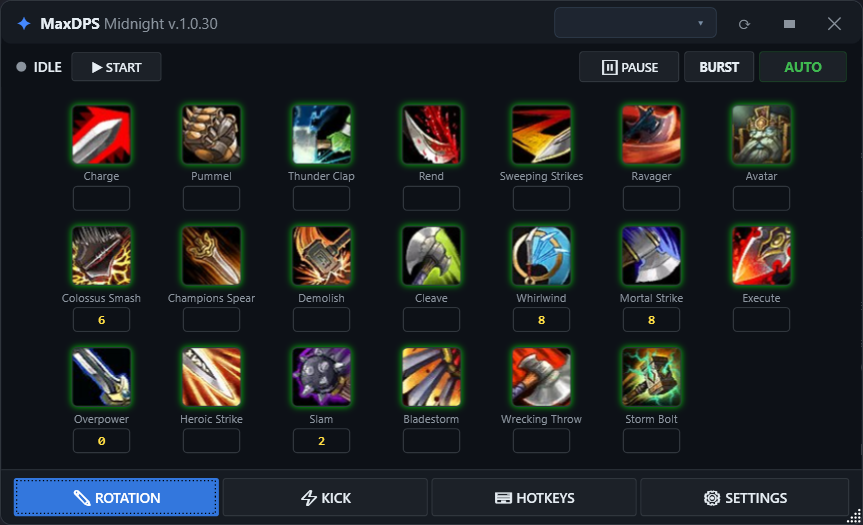
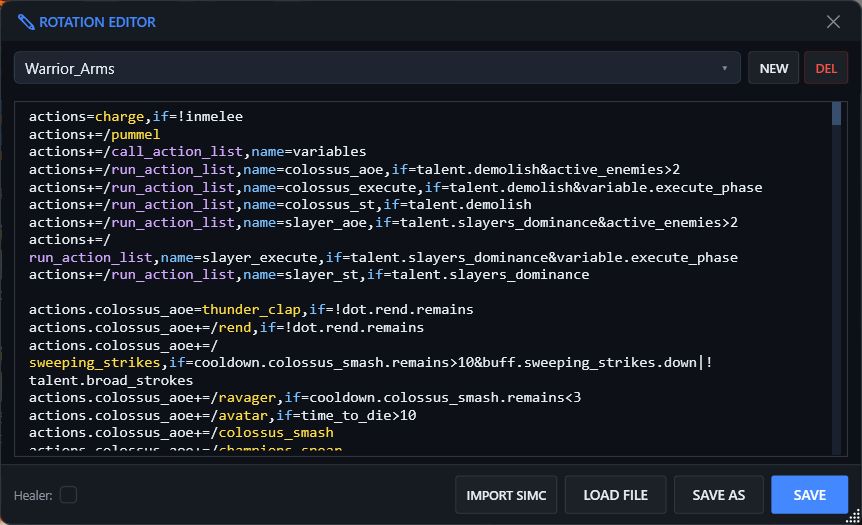
The program includes a set of ready-made rotations, so you can jump into combat right after downloading and launching MaxDPS Assistant. But if something does not feel right, you want to change conditions, or you want to write something of your own from scratch, you can easily do it in the built-in rotation editor.
- Ready-made rotations let you get started quickly without a long initial setup.
- Any rotation can be opened in the editor and adjusted for your needs.
- Experienced users can create their own rotations from scratch.
Support for Healers and Tanks
MaxDPS Assistant for Midnight works not only with DPS specs, but also with Tanks and Healers. For Healers, several work modes are available, allowing you to play in a fully automatic mode or control the process manually.
- AUTO mode for fully automated target selection;
- MANUAL mode for moments when you only need to heal or only need to deal damage;
- Automatic target selection for both healing and attacking.
Fast Control with Hotkeys
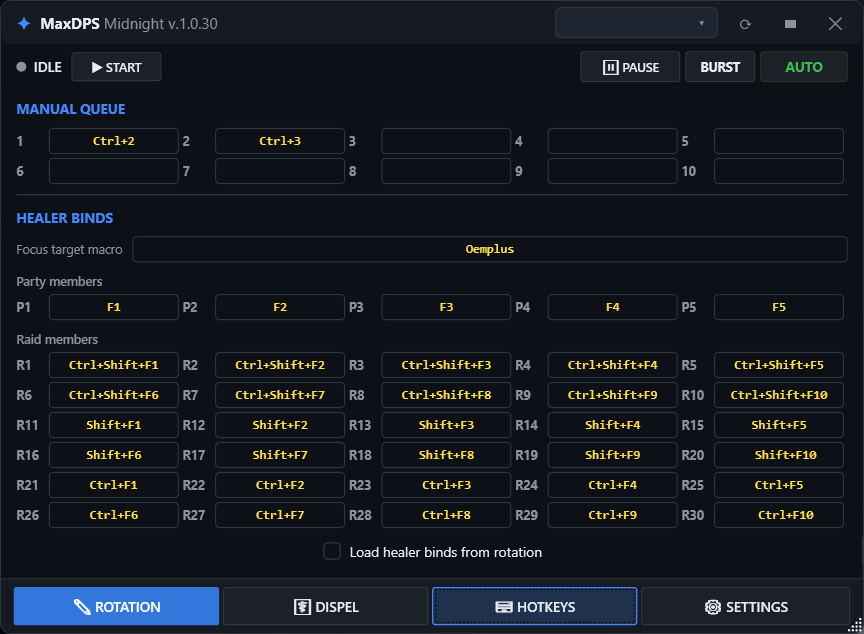
Thanks to hotkey support, you can react quickly to what is happening in the game without switching back to the program window every time. Core actions can be bound to hotkeys and activated with a single press: pause the rotation, switch from AOE to ST, enable Burst, or add the needed ability to the manual queue.
- Work modes switch instantly with a key press.
- Pause / Resume lets you temporarily take control without fully stopping the rotation.
- Manual Queue lets you preselect abilities that the program will use with priority.
Fine-Tuning Important Actions
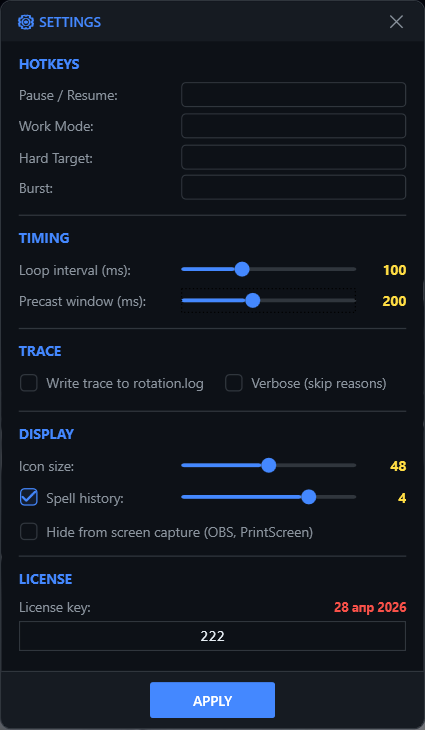
Separate settings windows let you control more precisely how the program reacts to important combat events. You can configure interrupts for DPS specs by choosing which casts to interrupt and which to ignore, configure dispels for Healers, specify what should and should not be dispelled, set the precast timing, and enable detailed logging to analyze complex rotations.
- KICK settings define which casts should be interrupted and when;
- DISPEL settings define which debuffs to remove, ignore, or consider when selecting a healing target.
- Trace log provides detailed analysis of the program's actions.
Current Rotation Status
Because the MaxDPS Assistant version for Midnight was released recently, rotations for all classes and specializations have not been published on the forum yet. Rotations are posted both by the developers and by users themselves, and work is actively underway to fill the remaining gaps. Some bugs or rough edges in the program itself are also possible, but they are being actively fixed as well.
Class and Specialization Readiness
This list shows which classes and specializations already have rotations published on the forum for MaxDPS Assistant for Midnight.

Warrior
 Arms
Arms
 Fury
Fury
 Protection

Paladin
 Holy
Holy
 Protection
 Retribution

Hunter
 Beast Mastery
 Marksmanship
 Survival

Rogue
 Assassination
 Outlaw
 Subtlety

Priest
 Discipline
 Holy
Holy
 Shadow

Shaman
 Elemental
 Enhancement
 Restoration

Mage
 Arcane
 Fire
Fire
 Frost
Frost

Warlock
 Affliction
 Demonology
 Destruction

Monk
 Brewmaster
 Mistweaver
 Windwalker

Evoker
 Devastation
 Preservation
 Augmentation

Demon Hunter
 Havoc
Havoc
 Vengeance
 Devourer

Death Knight
 Blood
Blood
 Frost
Frost
 Unholy

Druid
 Balance
 Feral
Feral
 Guardian
 Restoration
How to Get Access
MaxDPS Assistant for Midnight can be downloaded only from your account area. Log in with Discord and purchase a full-access code for all programs. After payment, the Midnight download will become available in your account area, along with access to the MaxDPS Discord server.
Midnight
No addons to display